


Cleo AI: Cash Advance & Money
4.740.26K Reviews
App Specs
- Version
- 3.73.0
- Updated On
- License
- Free
- Downloads
- 5,000,000+
- Developer
- Cleo AI
- Categories
- Finance
- Platform
- Android, iOS
Screenshots
 Analysis by AppCompare
I find finance apps most useful when they fit into the moments I actually think about money: checking a balance before buying lunch, reviewing a purchase after it lands, or trying to understand why a month feels tighter than expected. Cleo AI: Cash advance & Credit takes a conversational approach to those decisions. That can make money feel less intimidating, though it also means the experience depends on being willing to connect with an app and make time to check in.
When a money check-in depends on a connection
Because Cleo builds its budgeting experience around connected financial information and conversation, I’d treat a working internet connection as part of the normal workflow. That matters most when I want a timely picture of spending: a new purchase may not be reflected immediately, and an app’s view is only as helpful as the information it can access. I wouldn’t use a single screen as proof that every recent transaction has appeared; I’d compare it with my bank when timing matters.
This is also where conversational finance can be more useful than a chart alone. Instead of opening a spreadsheet and deciding what to inspect, I can approach a money question in plain language and use the exchange to focus my attention. The trade-off is that a chat interface is not a substitute for checking the underlying account when I need exact, current figures. I see Cleo as a guide for noticing patterns, not as the final authority for a payment or balance decision.
Designed for quick mobile moments, not every money task
The strongest fit is for short sessions on a phone: checking how spending is shaping up, asking for a nudge to save, or looking at credit information when I have a few minutes. Cleo is a finance app from Cleo AI, and its conversational style gives those small visits more personality than the usual bank app. It is free to download, has a Teen content rating, and has been available since February 21, 2019; its current version is 3.25.0, with minimum OS 10.
I would not mistake that mobile convenience for a reason to handle every financial decision in a hurry. If I’m comparing bills, reconciling accounts, or planning a complicated budget, I prefer a larger screen or a careful review of the relevant statements. Cleo is better as a frequent check-in companion than as a replacement for deliberate financial planning. That distinction helps set realistic expectations before the app becomes part of a routine.
What to do when the picture looks incomplete
Financial apps can occasionally show information that feels out of step with what I expect, especially when a transaction is still pending or an account connection needs attention. My practical habit would be to pause before acting on a surprising total: check the bank’s own app, confirm whether the transaction has settled, and then return to Cleo once the account view makes sense. This is more useful than repeatedly refreshing and assuming a delayed update means money has vanished.
I’d also keep a simple fallback for important dates. If rent or another essential payment is due, I would rely on the account and payment method I normally use, not on a budgeting prompt or a chat response. That isn’t a knock on Cleo; it’s a sensible boundary for any app that helps interpret finances rather than replacing the financial institution itself. A good app can improve awareness, but the user still needs a dependable way to verify critical details.
Worth Reading Before You Choose

EA SPORTS FC Mobile 26 Is a Bigger Football Game, but It Takes Time

Flipboard Shows What News Apps Must Do Beyond the Feed

Switching to Android Auto Means Rethinking Your Driving Routine

Google Calendar Makes a Crowded Week Easier to Manage

Ludo King Makes the Most of the Minutes Between Plans

Baby Panda World Brings Quick Play to Modern Phones, but Its Game Library Feels Busy
Use personal financial information thoughtfully
Connecting accounts can make budgeting more practical because it gives an app information to organize, but it is still a personal choice. Before linking anything, I’d read the app’s current explanations of how account access works and decide whether the convenience is worth sharing financial information in this way. I would also use a device lock and avoid discussing account details where someone nearby could see or hear them. Those are ordinary precautions, but they matter more when money information is on a phone I carry everywhere.
One useful approach is to decide what I want from the app before connecting accounts: perhaps I want a clearer view of everyday spending, a savings habit, or help understanding credit. That makes it easier to judge whether the experience is earning its place on my phone. If I mainly want a record of transactions, my bank’s app may be enough; if I want a more guided, conversational way to reflect on spending, Cleo has a clearer reason to be in the mix.
Meet Your New Budgeting Buddy
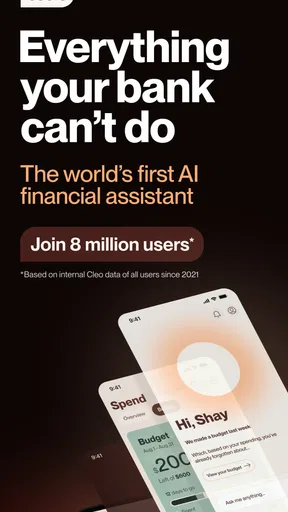
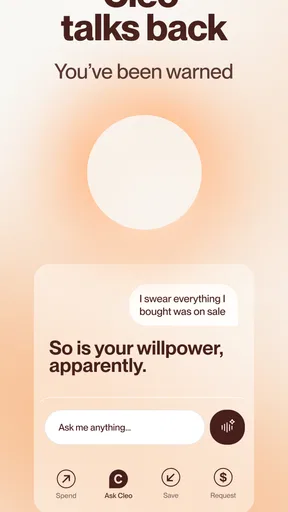
First things first, Cleo AI is not your average budgeting app. It’s like having a sassy financial advisor in your pocket. The chatbot feature is where the magic happens. You can chat with Cleo about your spending habits, and she’ll dish out advice and tips with a side of humor. If you’re used to those boring finance apps, Cleo’s cheeky attitude will be a refreshing change.
Features That Stand Out
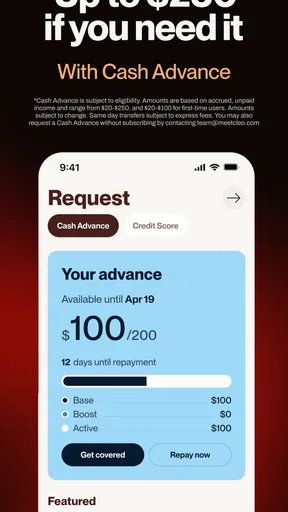
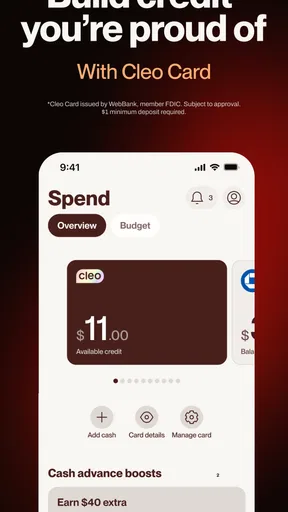
One of the standout features is the cash advance option. If you’re ever in a tight spot and need a little extra cash before payday, Cleo’s got your back. The app offers advances up to $100, which can be a lifesaver when unexpected expenses pop up. The process is straightforward and quick, which is a major bonus.
Another neat feature is the credit score insights. Instead of just showing you a number, Cleo explains what impacts your score and how you can improve it. It’s like getting a mini financial education each time you check in.
Easy Peasy Setup
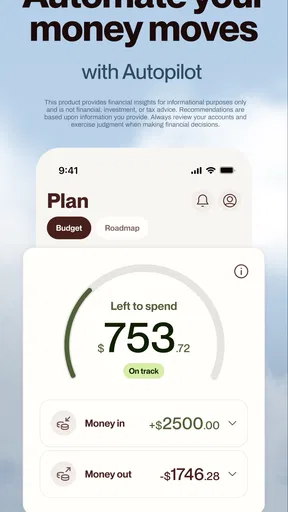
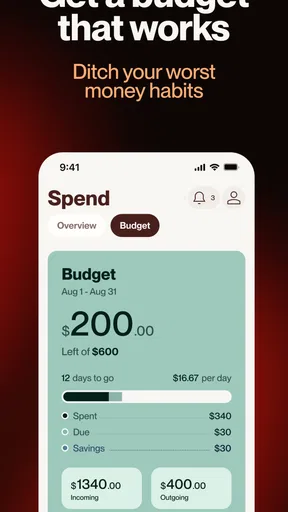
Downloading and setting up the app is a breeze. You just connect your bank accounts, and Cleo starts analyzing your spending patterns. It’s cool how she can categorize your spending into neat little charts and graphs. Seeing where all my coffee money goes has been quite the eye-opener!
A small habit makes this setup more useful: I’d give the categories a little attention after the first few days rather than treating the first view as a finished budget. When a merchant name or purchase lands in a category that doesn’t match how I think about it, that’s a prompt to review the pattern, not a reason to assume the app understands every context automatically. Categories are most valuable when they help me ask better questions, such as whether convenience food is becoming a routine expense or whether a one-off purchase is distorting the week.
For a realistic example, imagine I’m halfway through a busy week and notice I’ve spent more than expected. I can use Cleo’s overview to identify the area worth checking, then decide whether the increase is a one-time need or a habit I want to change. If the figures seem off, I verify them with my bank before moving money or changing a plan. That workflow combines the app’s approachable prompts with a little independent judgment, which is more reliable than expecting any automated categorization to explain the whole story.
The Fun Factor
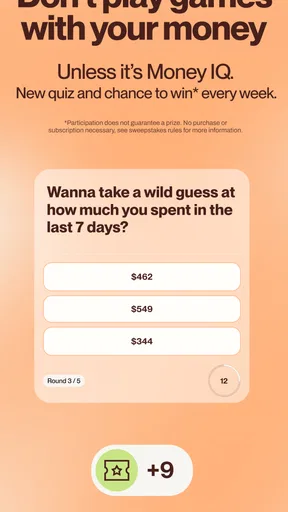
What really sets Cleo apart is the fun element it brings to budgeting. You can set challenges to save money, like no-spend days, and Cleo keeps you accountable. Plus, the app’s design is sleek and user-friendly. It’s bright, colorful, and doesn’t feel like a chore to use, which is a huge plus in my book.
The challenge format works best for me when I make the goal specific and realistic. A no-spend day can be a useful pause on optional purchases, but it shouldn’t become a rule that makes necessary spending feel like failure. I’d frame it around one category or one ordinary day, then review what I learned rather than treating a streak as the main achievement. That turns the playful element into a way to notice triggers and choices, not a test of willpower.
There’s a broader trade-off in Cleo’s personality, too. The humor can make an uncomfortable subject easier to approach, especially if I tend to avoid looking at my accounts. But a playful tone won’t suit everyone, and it does not make a difficult financial situation less serious. If I want a quiet ledger with minimal conversation, a conventional bank app or a spreadsheet may feel calmer. Cleo’s style is a genuine differentiator, not a universal improvement.
How it fits beside other finance tools
Compared with a bank’s own app, Cleo is more oriented toward prompts, habits, and interpretation than simply showing account activity. Compared with a spreadsheet, it asks less manual work for a quick look at patterns, while a spreadsheet gives me more control over categories and planning assumptions. Neither alternative makes the other obsolete: I’d use a bank app for authoritative account checks, a spreadsheet for a detailed plan I want to shape myself, and Cleo when a conversational nudge could help me engage with everyday spending.
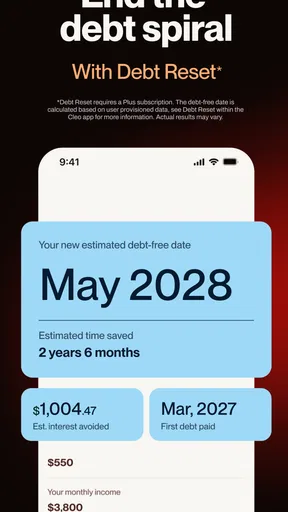
The app also covers more than one money concern, including budgeting, saving, tax filing, and credit-building goals. That breadth may appeal if I want a single place to explore several parts of personal finance, but I would still approach each task on its own terms. For example, credit improvement is a longer process than a quick spending review, while tax filing calls for careful attention to the details of a return. I would not assume that a chat-based experience removes the need to check important information before making a consequential decision.
Cash advances deserve the same careful thinking. The option may be relevant when a short-term gap appears, but I’d first ask whether the expense is essential, when I can comfortably repay, and whether another solution is less disruptive. An advance can address an immediate timing problem without fixing the reason the budget is short. I would treat it as a possible tool for a specific situation, not as regular income or a substitute for building a buffer.
Who is likely to get the most from it?
I’d recommend trying Cleo if money management feels tedious, if a conversational interface makes you more willing to look at spending, or if you want gentle structure around saving and credit awareness. Its audience is substantial, with more than a million installs and an average rating of 4.4 from around 111,000 ratings; that gives a sense of broad interest, though personal fit matters more than popularity. The app is free, but I’d still read the terms for any specific service I consider using rather than assuming every feature has identical conditions.
I’d be more cautious if I need exact transaction timing, prefer not to connect financial accounts, or want a highly customizable budgeting system. A person managing shared household finances may also need a more explicit way to coordinate categories and responsibilities than a personal chat-oriented app offers. In those cases, a bank tool, a jointly maintained budget, or a spreadsheet may be a better match. Cleo is most compelling when its tone and quick feedback solve a real engagement problem, not simply because it puts many financial topics under one roof.
Is Cleo Worth It?
So, after spending some quality time with Cleo AI: Cash advance & Credit, I’d say it’s definitely worth checking out if you’re looking for a fresh take on money management. It’s not just about tracking expenses; it’s about engaging with your finances in a way that’s fun and informative. Whether you’re saving for something big or just trying to keep an eye on your spending, Cleo might just be the app you didn’t know you needed.
Overall, Cleo makes handling finances a little less daunting and a lot more entertaining. If you’re curious, give it a whirl and see how it fits into your financial routine. You might just find yourself looking forward to talking money with your new digital bestie.
My connectivity verdict
For me, connectivity is a practical condition of getting the most from a finance app built around account information and chat, not a detail to ignore. When I have a stable connection, I can use Cleo for a quick review, a savings prompt, or a clearer look at spending habits. When an update seems late or an answer does not match what I expect, I would verify with my bank and try again later instead of making a rushed decision.
That makes Cleo a good companion for people who want a more engaging way to pay attention to money and are comfortable using a connected service. It is less suitable as the only place to check urgent balances or manage complex plans. Keep the bank app as the source for time-sensitive account details, use Cleo to build awareness and habits, and the app’s strengths are easier to appreciate without asking it to do every financial job.
Pros
- User-friendly interface for easy navigation.
- Quick cash advances without hidden fees.
- Personalized budgeting tips and insights.
- Secure connection to bank accounts.
- 24/7 chatbot support for queries.
Cons
- Limited support for non-US bank accounts.
- Cash advances may encourage overspending.
- Requires sharing sensitive financial data.
- Occasional app connectivity issues.
- Budgeting features may feel basic to some.
FAQs for Cleo AI: Cash Advance & Money
What features does Cleo AI offer to help manage finances?
Cleo AI provides a variety of features to help users better manage their finances, including budget tracking, spending insights, savings goals, and financial advice. Users can also access cash advances and credit score monitoring. The app uses AI technology to offer personalized tips and reminders to improve financial health.
How does the cash advance feature work in Cleo AI?
Cleo AI offers a cash advance feature that allows users to borrow a small amount of money before their next paycheck. This is designed to help cover unexpected expenses. The amount you can borrow depends on your financial history with Cleo, and the app outlines the repayment terms clearly to ensure transparency.
Is Cleo AI safe to use for managing my financial information?
Cleo AI uses bank-level encryption to ensure that your financial information is secure. The app connects directly with your bank accounts to provide real-time updates and insights while maintaining a strong emphasis on user privacy and data security. Users can feel confident that their sensitive information is well protected.
Are there any fees associated with using Cleo AI?
Cleo AI offers a free version with basic features, but some advanced functionalities, like certain cash advances and additional financial insights, may require a subscription. Users are encouraged to review the pricing details within the app to understand any potential charges. Cleo aims to be transparent with all fees and offers value for money.
Can Cleo AI help improve my credit score?
Yes, Cleo AI includes features to help users understand and improve their credit score. The app provides insights into what factors are impacting your score and offers practical advice on how to improve it over time. By using Cleo's budgeting and savings tools, users can also develop better financial habits, which can positively affect their credit score.


